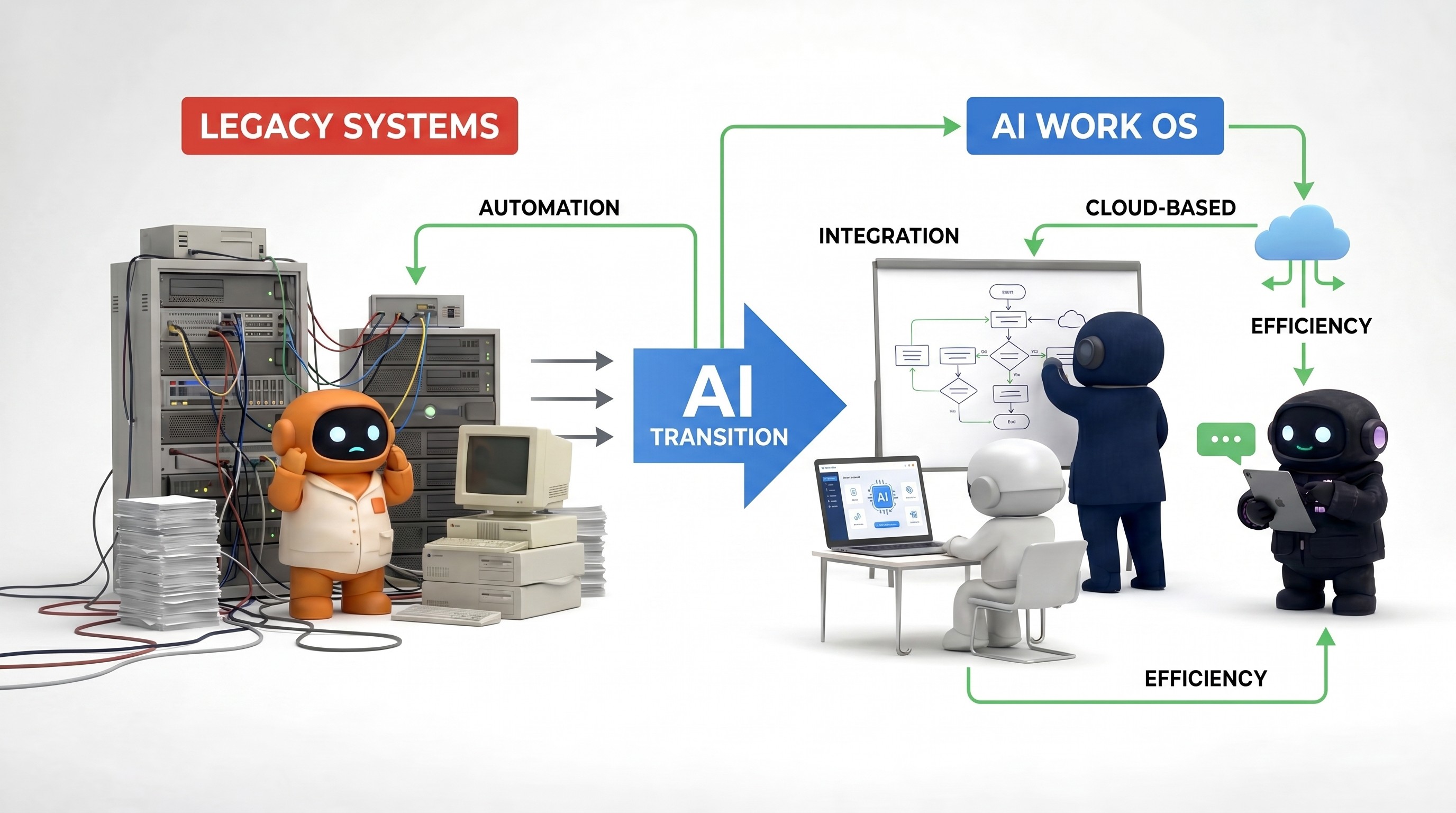
AI Productivity: What Actually Moves the Needle for Small Teams
“AI productivity” is doing a lot of marketing work in 2026. Vendors use it to mean everything from faster email drafts to fully autonomous employees. Operators use it to mean “we bought tools and still feel underwater.”
This article defines productivity the way a COO would: ship outcomes with fewer coordination cycles, not consume more model tokens.
We will cover:
Why another chat tab rarely moves revenue or support metrics
A layered model (chat → embedded AI → automation → agents) with failure modes
How to measure impact without lying to yourself
Where an AI Work OS and AI workforce fit—only when your bottleneck is system design, not typing speed
AI productivity: comparison of approaches
Approach | Primary benefit | Primary risk | Good signal you need it |
|---|---|---|---|
General chat (e.g. ChatGPT vs. Claude) | Fast drafts & reasoning | Copy-paste tax, no system memory | Ad-hoc creative / analysis |
Embedded AI (Notion, ClickUp, Copilot) | AI where files already live | Siloed to one vendor garden | Team lives in one app |
Reliable if-this-then-that | Breaks on messy language | Clean triggers & schemas | |
AI employees / agents (AI employees) | Judgment + tools + shared context | Needs onboarding & review | Cross-tool revenue/ops work |
The productivity trap: faster drafts, slower company
The default playbook looks efficient on paper:
Open ChatGPT or Claude.
Draft a paragraph.
Paste into Gmail / Notion / Slack.
Switch to the project tool for the task.
Realize the model forgot the nuance from yesterday’s thread.
Re-paste context. Repeat.
You saved five minutes of writing and paid twenty minutes of context re-assembly across tabs. That is not productivity; it is local optimization on a broken global workflow.
Productivity—in the sense that shows up in cash and customers—usually moves when you reduce one of these:
Coordination cost: fewer meetings, fewer “can you send me the latest doc?” loops
WIP limits: fewer half-finished drafts scattered across tools
Latency: time from trigger (lead, ticket, request) to correct next action
Error rate: fewer reversals, refunds, or angry follow-ups caused by sloppy execution
If your AI initiative does not touch at least one of those, it is hobby infrastructure.
Four layers of AI capability (and how each fails)
Think of these as stack layers, not “maturity levels.” You often need more than one.
Layer 1 — General chat (thinking, drafting, debugging)
Best for: Ad-hoc reasoning, rewriting, code snippets, one-off analysis when you can paste trustworthy context.
Fails when: The work is recurring, multi-tool, or policy-bound—because chat has no memory of your operating model unless you re-teach it daily.
Reality check: If you are a ChatGPT alternative for business shopper, you are already feeling this ceiling.
Layer 2 — Embedded AI in a single product
Notion AI, ClickUp AI, Copilot-in-Word, etc. These tools are excellent when the artifact and the team already live there.
Fails when: The workflow crosses email ↔ calendar ↔ CRM ↔ social—because embedded AI optimizes inside the garden wall.
See Notion AI vs. ClickUp AI for how “PM + doc” AI differs from go-to-market AI.
Layer 3 — Automation (Zapier, n8n, Make)
Best for: Deterministic plumbing—form submissions, billing hooks, alerts.
Fails when: Inputs are messy language or policies require judgment. For the boundary, read AI agents vs. automation.
If your pain is mostly cost or complexity of Zaps, compare Zapier vs. n8n and Zapier alternative—that is often a piping problem, not an “agents” problem.
Layer 4 — Agents / AI employees (judgment + tools + shared context)
Best for: Repeatable commercial workflows where personalization and tool actions matter: triage, research, outreach drafts, support replies grounded in policy, campaign scaffolding.
Fails when: You skip knowledge base investment, review, and metrics—then blame “the model.”
This is the layer AI employees occupy when done seriously.
Four layers: one-page summary
Layer | Best for | Typical failure | Fix |
|---|---|---|---|
1 — Chat | One-off tasks, brainstorming | Recurring ops without memory | Add templates + where outputs must land |
2 — Embedded | Docs/PM inside one product | Email + CRM + social still manual | Add automation or workforce for cross-app work |
3 — Automation | Forms, billing, alerts | Regex on human language | Move to agents + policy for NL |
4 — Agents | Triage, outreach, support drafts | Skipping Brain + review | Knowledge base + human gate |
“Context gravity”: why one Brain beats six chats
Small teams die from context fragmentation:
Brand voice lives in a Notion page nobody updates.
Pricing rules live in a founder’s head.
Objection handling lives in Slack scrollback.
Context gravity is the pull toward one place where:
Policies are current,
Agents read the same source,
Humans can see what the system believed when it acted.
That is why we emphasize the Brain inside an AI Work OS: not as a buzzword—as a coordination primitive.
High-leverage workflows (what to automate first)
Pick one workflow that happens weekly, touches customers or cash, and currently requires context switching.
Examples:
Ops: Inbox triage + scheduling + internal summaries — AI operations assistant
Sales: Research + first-touch drafts + pipeline hygiene — AI sales assistant, how to automate sales with AI
Marketing: Drafts + distribution scaffolding — AI marketing assistant
Support: Policy-grounded replies with approval — AI customer support agent
Research: Competitive / market briefs — AI research assistant
If you cannot name the owner, trigger, and definition of done, you are not ready for software—you are ready for process design.
Measuring AI productivity (metrics that resist gaming)
Vanity metrics vs. outcome metrics
❌ Vanity (easy to game) | ✅ Outcome (harder to fake) |
|---|---|
Prompts per week | Cycle time (lead → first useful touch) |
Characters generated | Rework rate (% major edits after “done”) |
Tool logins | Meetings booked or tickets resolved without escalation |
“AI tasks completed” | Pipeline stage conversion, not email opens alone |
Executive demos | Hours/week in status meetings or Slack ping-pongs |
Pick 2–3 outcome metrics and hold them for 30 days before changing the stack again.
Detail on each “better” metric:
Cycle time: lead → meaningful touch; ticket opened → first useful response
Rework rate: % of AI-assisted outputs sent back for major edits
Escalation quality: are humans handling harder cases, or the same noise faster?
Revenue support: meetings booked, pipeline stage advancement—not opens alone
Coordination load: Slack pings per deal, or hours/week in “status” meetings
If volume rises but cycle time and quality are flat, you built a content factory, not productivity.
People, freelancers, and AI (no false trichotomy)
AI does not remove the need for taste, accountability, or relationship capital. It compresses execution time on structured work.
For how to think about mixing employees, freelancers, and agents, see AI employees vs. freelancers and AI employees vs. hiring.
Rule of thumb: AI first on repetitive, specifiable work; human first on negotiation, creative direction, and anything you would regret if it were wrong in public.
Red flags that you are buying theater
Six AI tools that all draft email.
No written policies for customer-facing output.
No review step on high-stakes sends.
“We deployed AI” with no before/after metric.
Executives use chat; ICs do not—so playbooks never converge.
Bottom line
AI productivity is coordination and latency, not more generation. Use chat to think, automation to pipe clean data, and agents where judgment + tools beat templates—ideally on top of one knowledge base so the system stops forgetting what your company is.
Frequently asked questions
What is AI productivity in a business context?
AI productivity means fewer coordination cycles and faster correct outcomes—not more model usage. If AI only increases output volume without improving cycle time or quality, it is not productive. See the metrics table above.
ChatGPT vs. automation: which improves productivity more?
ChatGPT helps thinking and drafting. Zapier/n8n helps deterministic plumbing. They solve different problems; many teams need both plus review for customer-facing work. Compare layers in the first table in this guide.
When do I need an AI workforce instead of chat?
When work crosses tools (email, calendar, CRM, social) and needs shared context—an AI workforce and AI Work OS style setup—rather than another chat tab. See best AI tools for small business.
How is AI productivity different from AI automation?
Automation follows fixed rules. Productivity in the AI era often requires judgment on messy inputs—see AI agents vs. automation.
Agently is built around specialized agents, a shared Brain, Spaces, Pages, and integrations—so execution stays where work lives. Try it free.
CEO
Omar Ghandour
March
26,
2026
Share on social media