Agently MCP Server: Bring Your Own Agents Into the Workspace
If you've already built AI agents — with CrewAI, LangChain, Claude, or your own framework — you know they're powerful in isolation. But they're disconnected. They don't share context with each other, they don't have access to your company knowledge base, and the work they produce lives outside your team's view.
Agently is building an MCP server that solves this. Connect your existing agents to Agently's workspace, and they join the team. They work alongside Agently's built-in agents — Apex, Nova, Pulse, Echo, Lens — sharing the same Brain, the same integrations, the same tools, the same Spaces, and the same Pages. Your custom agents and Agently's agents become one workforce.
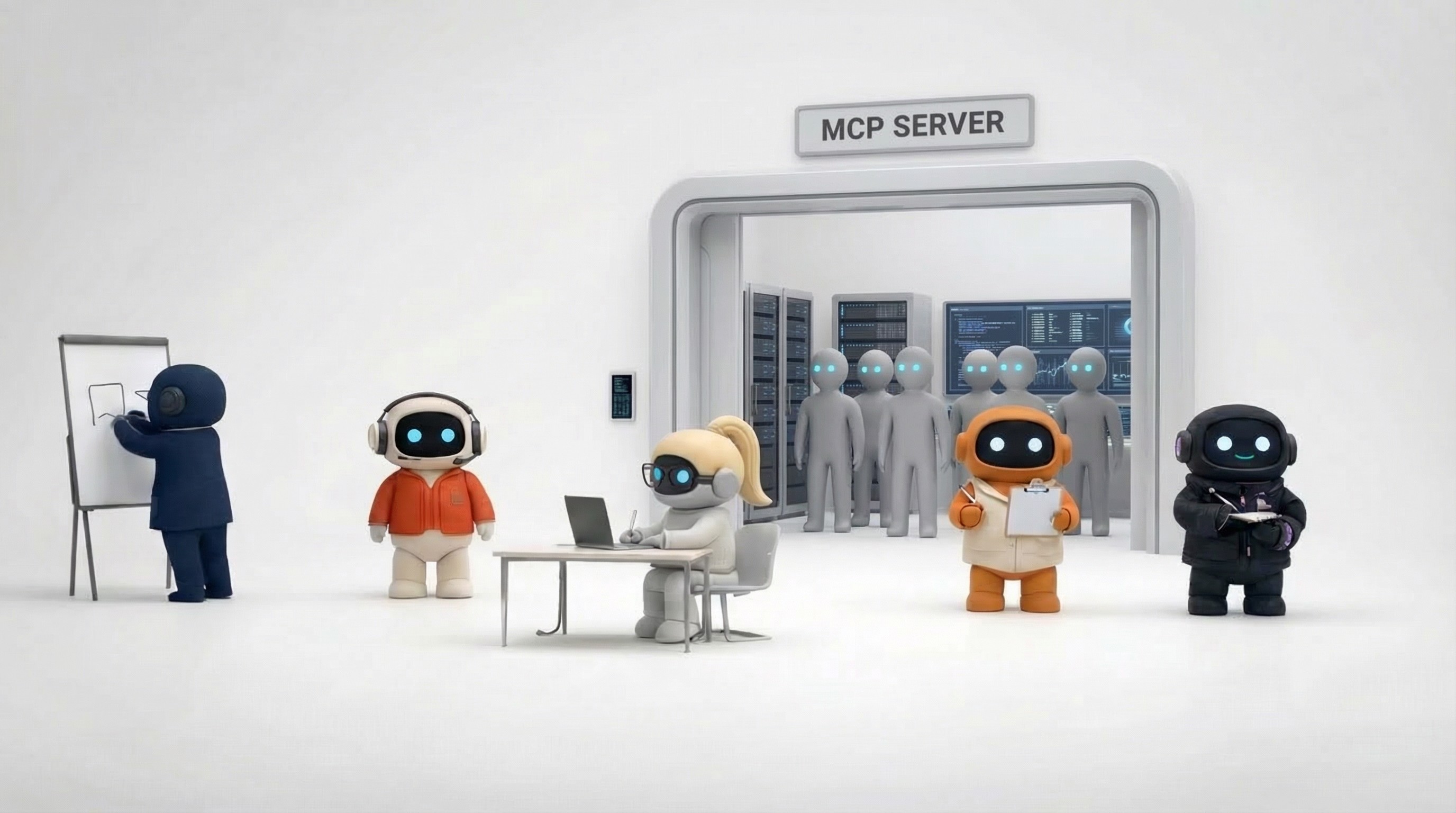
The Problem: Great Agents, Disconnected Work
You've built a CrewAI crew that handles lead research. Maybe a LangChain pipeline for competitive intelligence. Maybe a Claude Desktop setup for drafting customer communications. Each one works, but:
They don't share knowledge. Your research agent doesn't know what your sales agent learned. Your customer success agent can't reference what your marketing agent produced. Every agent starts with a blank slate unless you manually pipe context between them.
Their work is invisible to your team. Reports live in local files. Emails get sent without anyone knowing. Tasks exist in the agent's output, not on a board your team can see. There's no central place where human and AI work converge.
They can't use your business tools easily. Each agent needs its own integrations — Gmail, Calendar, LinkedIn, Notion. You've either built those integrations (painful) or your agents can't take real action (limiting).
They don't collaborate with each other. A research agent produces a competitor analysis. A sales agent needs that analysis for outreach. Today, you're the glue — copying output from one agent to another. There's no shared workspace where agents interact.
The Solution: Your Agents Join Agently's Workspace
Through Agently's MCP server, your custom agents will plug into the same workspace where Agently's built-in agents operate. Here's what that means:
Shared Brain
Your custom agents access the same knowledge base that Apex, Nova, Pulse, Echo, and Lens use. Your company docs, brand guidelines, product info, competitive intel, customer data, your integrations — all of it. A CrewAI agent, for example, you built last month instantly knows everything about your business without you re-building a knowledge base.
Shared Integrations
Agently already handles OAuth for Gmail, Outlook, Google Calendar, Github, Outlook Calendar, Calendly, LinkedIn, Twitter/X, Notion and much more. Your custom agents will use those same authenticated connections. No building OAuth flows. No managing tokens. Your agent sends email through your Gmail? Done — using the same connection Apex already uses.
Shared Spaces
When your custom agent creates a task, it appears on the same Kanban boards your team and Agently's agents use. Your research pipeline creates action items? They show up in Spaces. Your sales agent tracks prospects? Same pipeline board that Apex manages. One view of all work, regardless of which agent created it.
Shared Pages
Your agents create documents in Agently's Pages editor — the same place where Agently's built-in agents write reports, briefs, and content. Everything is in one document system, searchable, shareable, and visible to your team.
Team Visibility
Every action your custom agents take through the MCP server is visible in the workspace. Emails sent, tasks created, documents written, social posts published — your team sees it all in one place. No hidden agent activity. Complete transparency across both your custom agents and Agently's built-in team.
How Custom and Built-In Agents Work Together
The real power isn't just shared tools — it's agents that complement each other:
Your specialized agent + Agently's generalists
You've built a custom agent for a workflow unique to your business — maybe a proprietary lead scoring model, a custom data pipeline, or an industry-specific research process. That agent plugs into Agently and works alongside the built-in team. Your custom agent does the specialized work; Apex handles the outreach, Nova manages the follow-ups, and Pulse creates the content.
Multi-agent workflows across frameworks
Your CrewAI research crew produces a competitive analysis and saves it to the Brain. Agently's Apex agent uses that research to personalize sales outreach. Echo references it when talking to customers about competitive advantages. Lens builds on it for the next quarterly review. Different agents, different frameworks, one workspace.
Custom agents that extend Agently's coverage
Agently has six built-in agents covering sales, operations, marketing, customer success, research, and workspace navigation. But your business might need agents for functions Agently doesn't cover yet — finance, HR, legal, product management, or industry-specific workflows. Build those agents in any framework, connect them via MCP, and they operate as part of the same workforce.
What Your Agents Will Access
Email (Gmail & Outlook)
Read, draft, and send through connected accounts — the same connections Agently's agents use.
Calendar (Google Calendar, Outlook Calendar, Calendly)
View events, check availability, create meetings, and manage scheduling.
Knowledge Base (Brain)
Semantic search across your company's documents, snippets, web pages, and images. The same Brain that powers Agently's built-in agents.
Task Management (Spaces)
Create tasks, update statuses, and manage Kanban boards. Work shows up alongside tasks from Agently's agents and your human team.
Documents (Pages)
Create, read, and update documents. Reports, briefs, and content live in one place.
Social Media (LinkedIn, Twitter/X)
Draft and publish through connected accounts.
Web Research
Search the web and fetch URL content for research workflows.
Supported Frameworks
The MCP server will work with any client that supports the Model Context Protocol:
CrewAI — Your agent crews get Agently workspace access as part of their tool set
LangChain / LangGraph — Connect through the MCP tool adapter
Claude Desktop — Add Agently as an MCP server in your config
Cursor — Your coding assistant can interact with the business workspace
Custom frameworks — Anything that supports MCP can connect
How It Will Work
1. Set up your Agently workspace
Create your workspace, connect your integrations (email, calendar, social), and build your Brain with company knowledge. This is the foundation your custom agents will tap into.
2. Generate an MCP API key
Get an API key from your workspace settings to authenticate your agents' connection.
3. Connect your agents
CrewAI example:
Claude Desktop example:
4. Your agents join the team
Your custom agents now operate inside Agently's workspace — reading from the Brain, using connected integrations, creating tasks in Spaces, writing documents in Pages. Everything they do is visible to your team and accessible to Agently's built-in agents.
Why MCP
Standard protocol, any framework
MCP is the emerging standard for connecting AI agents to tools. By building on MCP, Agently's workspace becomes accessible from any MCP-compatible framework — now and in the future. You're not locked into one agent-building approach.
You already handle auth
Agently already manages OAuth for Gmail, Google Calendar, Outlook, LinkedIn, Twitter, Notion, and Calendly. The MCP server extends that same authenticated access to your custom agents. No re-implementing OAuth for every service.
One workspace, complete visibility
Instead of agents producing output scattered across files, databases, and API responses, everything flows into one workspace. Your team sees what every agent — custom and built-in — is doing. That visibility is what turns disconnected agents into a coordinated workforce.
Who This Is For
Teams that already have custom agents. You've invested time building AI agents for specific workflows. Now you want those agents to share context, use real business tools, and produce visible work — without rebuilding everything inside a new platform.
Developer-founders who want both. You want the speed of Agently's built-in agents for standard business functions AND the ability to build custom agents for your unique workflows. The MCP server gives you both in one workspace.
Companies with specialized AI needs. Your industry or business has workflows that no platform covers out of the box. You need custom agents, but you also need them connected to your email, calendar, knowledge base, and team.
Security
OAuth-secured integrations — All third-party connections use OAuth. Agently never stores passwords.
Encrypted tokens — Access tokens encrypted using Supabase Vault.
Scoped API keys — MCP API keys can be scoped to specific tool sets and workspaces.
Revocable access — Disconnect integrations or revoke API keys at any time.
Workspace isolation — Each workspace's data is isolated. MCP keys only access their workspace.
Pricing
The MCP server will be available on all Agently plans, including the free tier. Usage will count against your workspace's plan limits. We're also exploring developer-focused pricing for teams that primarily use the MCP server alongside their own agents.
The Big Picture
Most AI agent platforms force a choice: use our agents, or build your own. Agently's MCP server removes that choice. Use Agently's built-in agents for the functions they cover. Build your own agents for everything else. They all work in the same workspace, share the same knowledge, use the same tools, and produce work your whole team can see.
Your agents don't have to work alone anymore.
Agently's MCP server is coming soon. Join the waitlist to bring your agents into the workspace.
CEO
Omar Ghandour
March
5,
2026
Share on social media